
CEIBS provides email services for faculty, staff, and students. You can set it up on the mail client of your desktop device.
Applicable for macOS 10.10 and above
-
Open Mail, and then do one of the following:
-
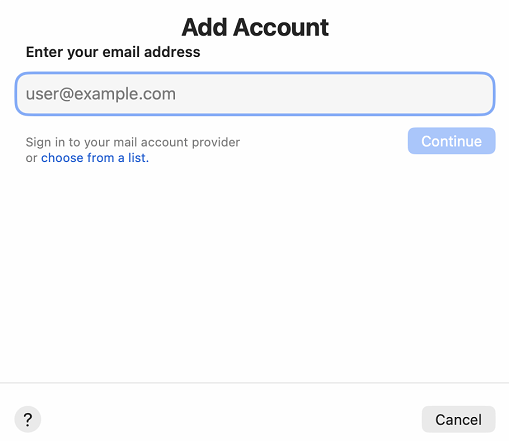
If you've never used Mail to set up an email account, the Welcome to Mail page opens, and you enter your email address. Go to step 2.
-
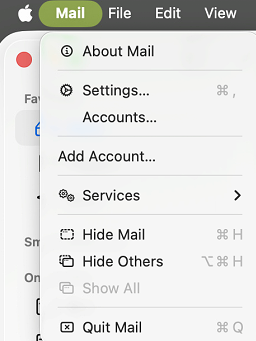
If you've used Mail to create email accounts, select Mail > Add Account.
-
-
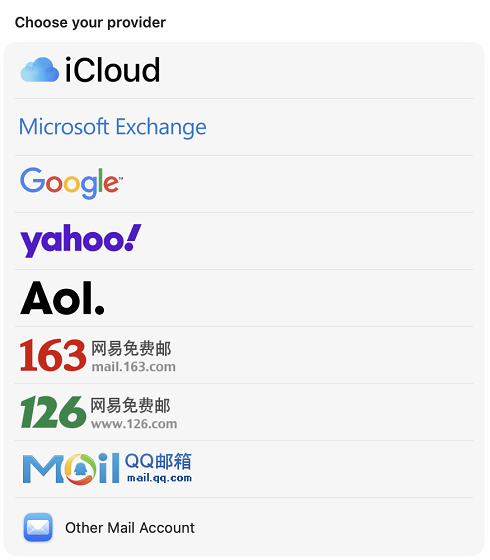
Select Exchange > Continue.
-
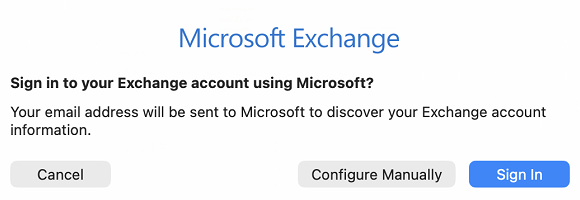
Enter the name, email address, and password for your Exchange account > Sign In.
- After selecting Configure Manually, enter your password and then click Sign In.
-
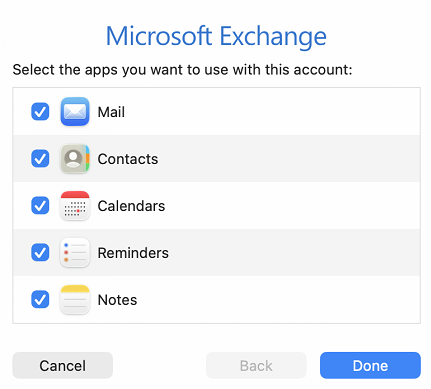
Choose the Mac apps you want to use with this account. Available choices are Mail, Contacts, Calendar, Reminders, and Notes.
-
Click Done.
- Setup complete.