
Applicable to staff, faculty, and students.
CEIBS provides the user with another way to check Email outside CEIBS. That’s CEIBS Webmail. The user can log on to the Webmail system through the link in the CEIBS Homepage or CEIBS iCampus.
Get access to the CEIBS Webmail through the link in CEIBS Homepage.
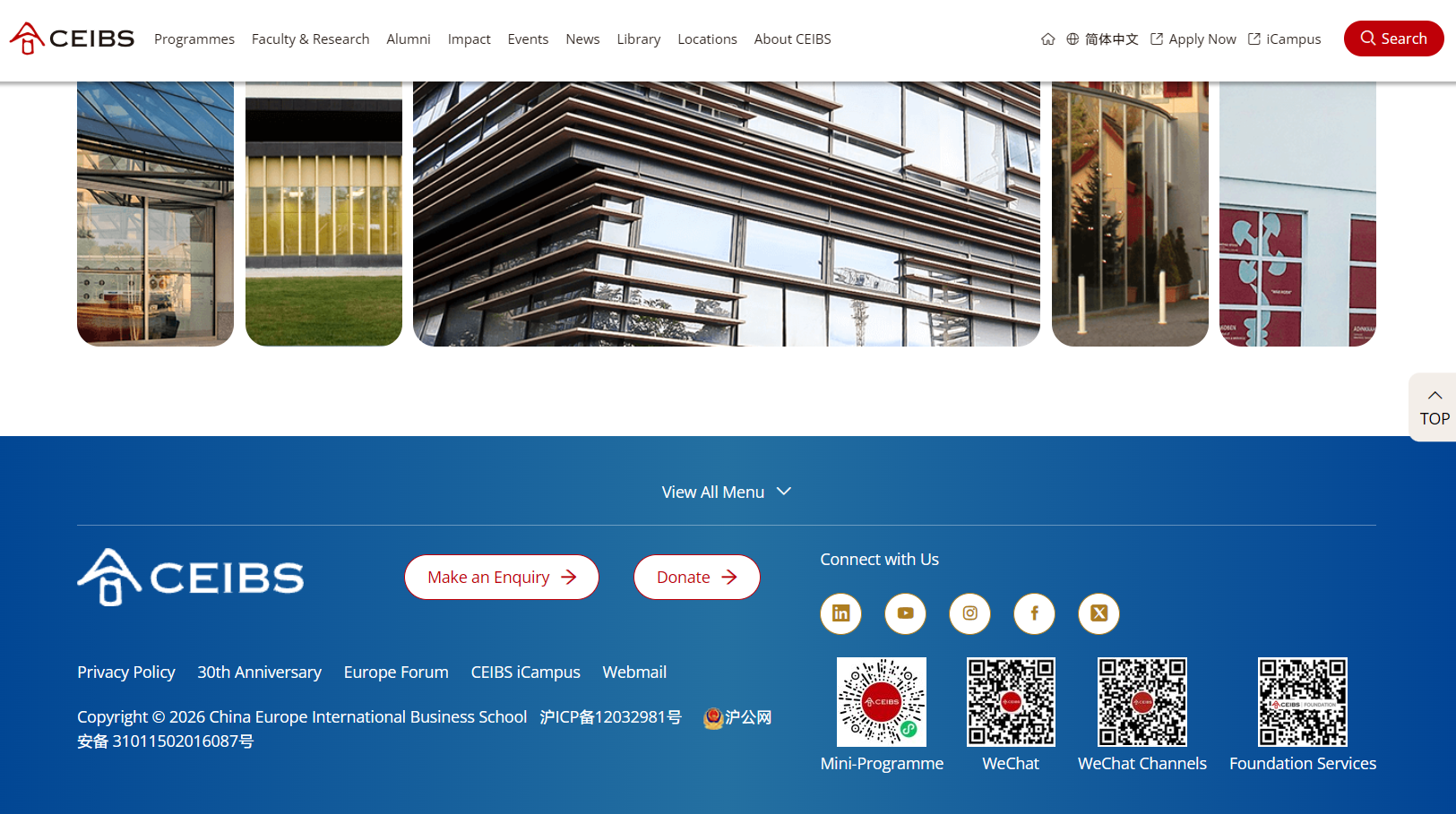
- Go to the CEIBS homepage https://www.ceibs.edu.cn. Click the link to Webmail at the bottom of the website.
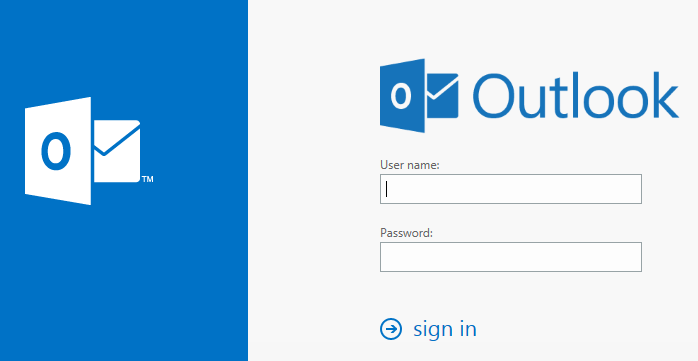
- Enter your CEIBS Email as your username and enter your password on the sign-in page.
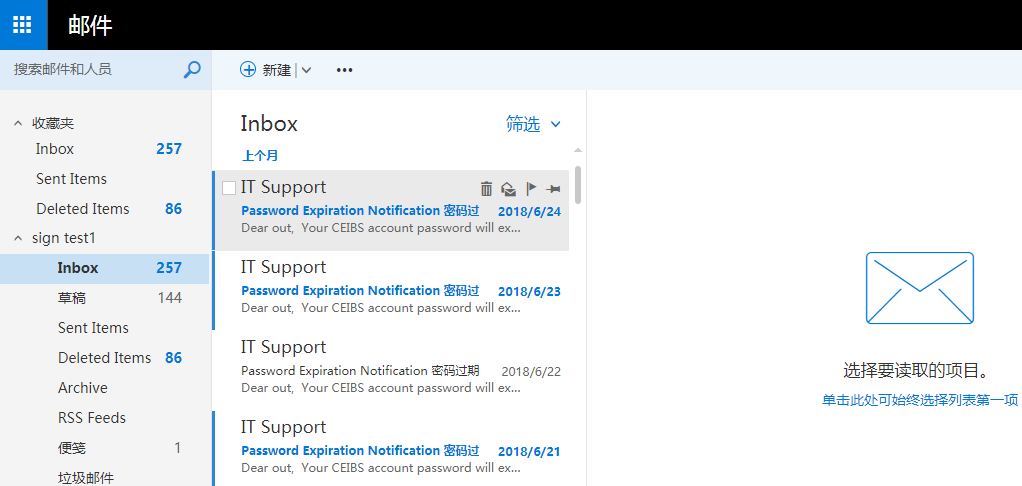
- Then you'll be able to access the CEIBS Email.
- End of guide.
Get access to the CEIBS Webmail through CEIBS iCampus.
- Go to the website https://icampus.ceibs.edu.cn.
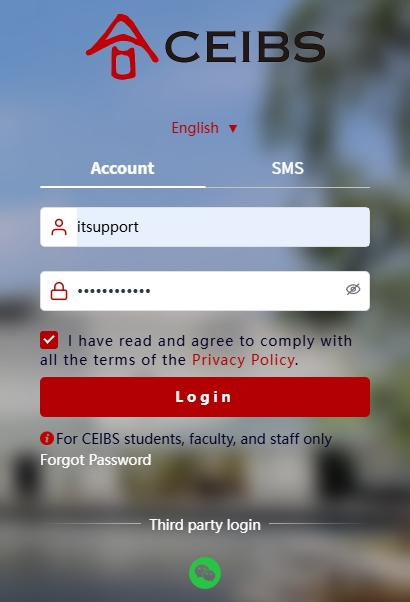
- Enter your CEIBS account as your username and enter your password on the login page.
- For Students
- Click the CEIBS Mail icon in the Public Services section on the Home page, and you can access CEIBS Webmail.
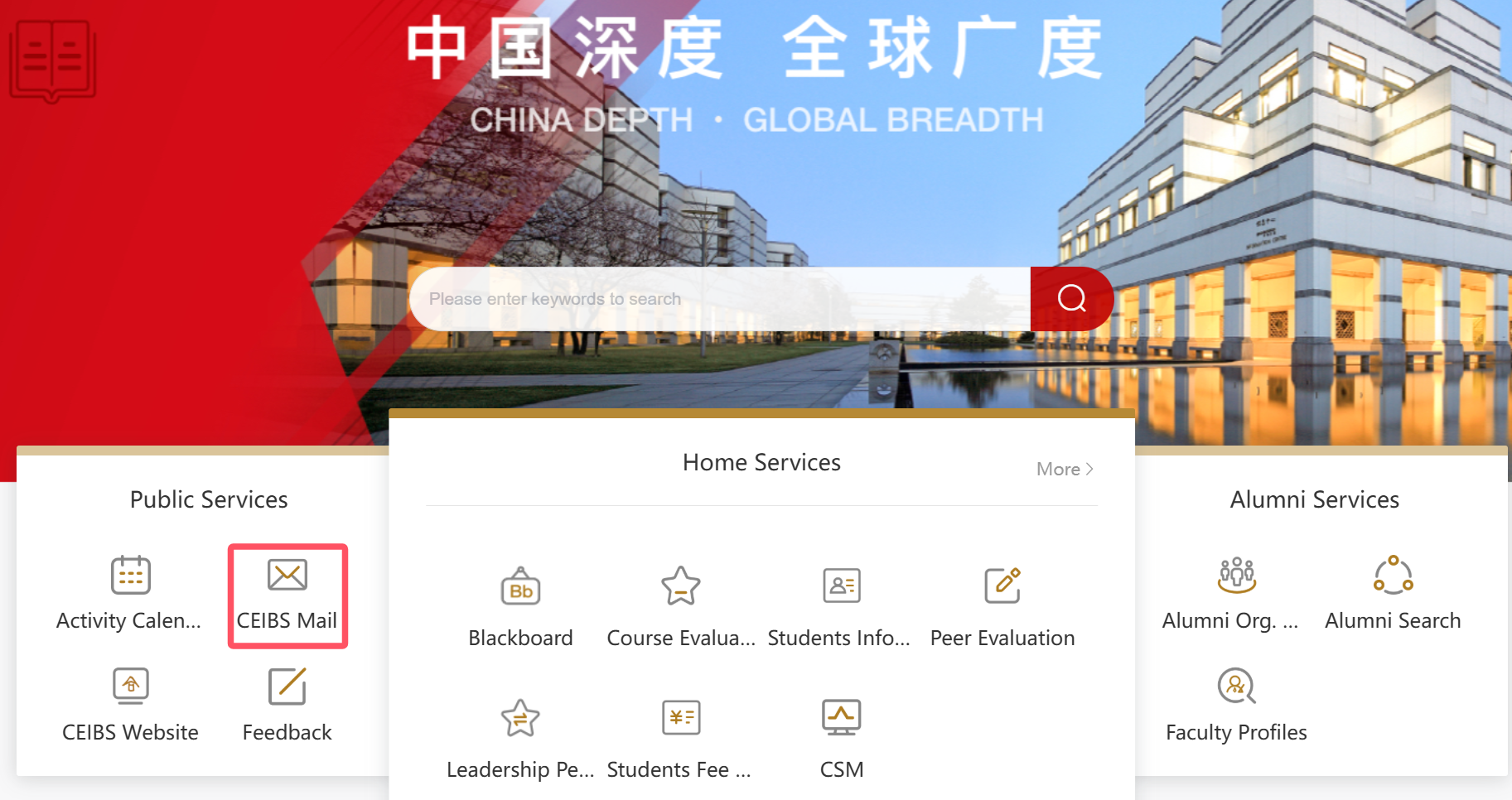
- Click the CEIBS Mail icon in the Public Services section on the Home page, and you can access CEIBS Webmail.
- For Faculty, Staff
- Directly go to the bottom of the page, click on More on the far right of the Service List,
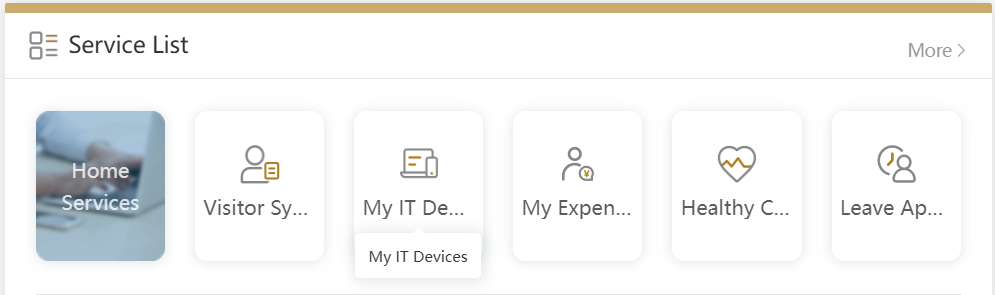
- Find the Public Services section, then locate CEIBS Mail, and click to access CEIBS Webmail.
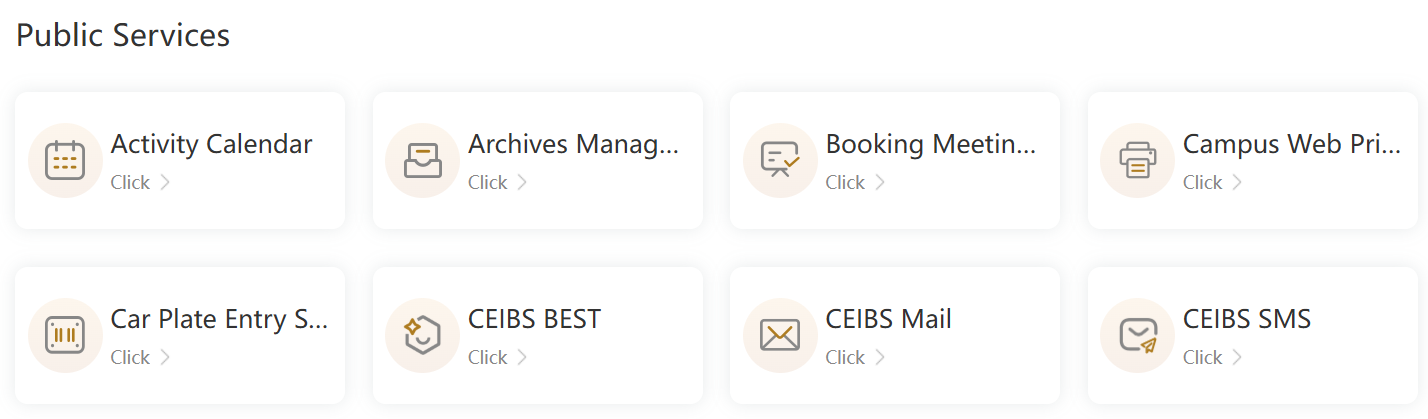
- Directly go to the bottom of the page, click on More on the far right of the Service List,
- For Students
- End of guide.